Appearance
Label Editor
- Open Tools → Label Editor.
- Duplicate a built-in format before you change it.
- Edit the lines and heights on your copy.
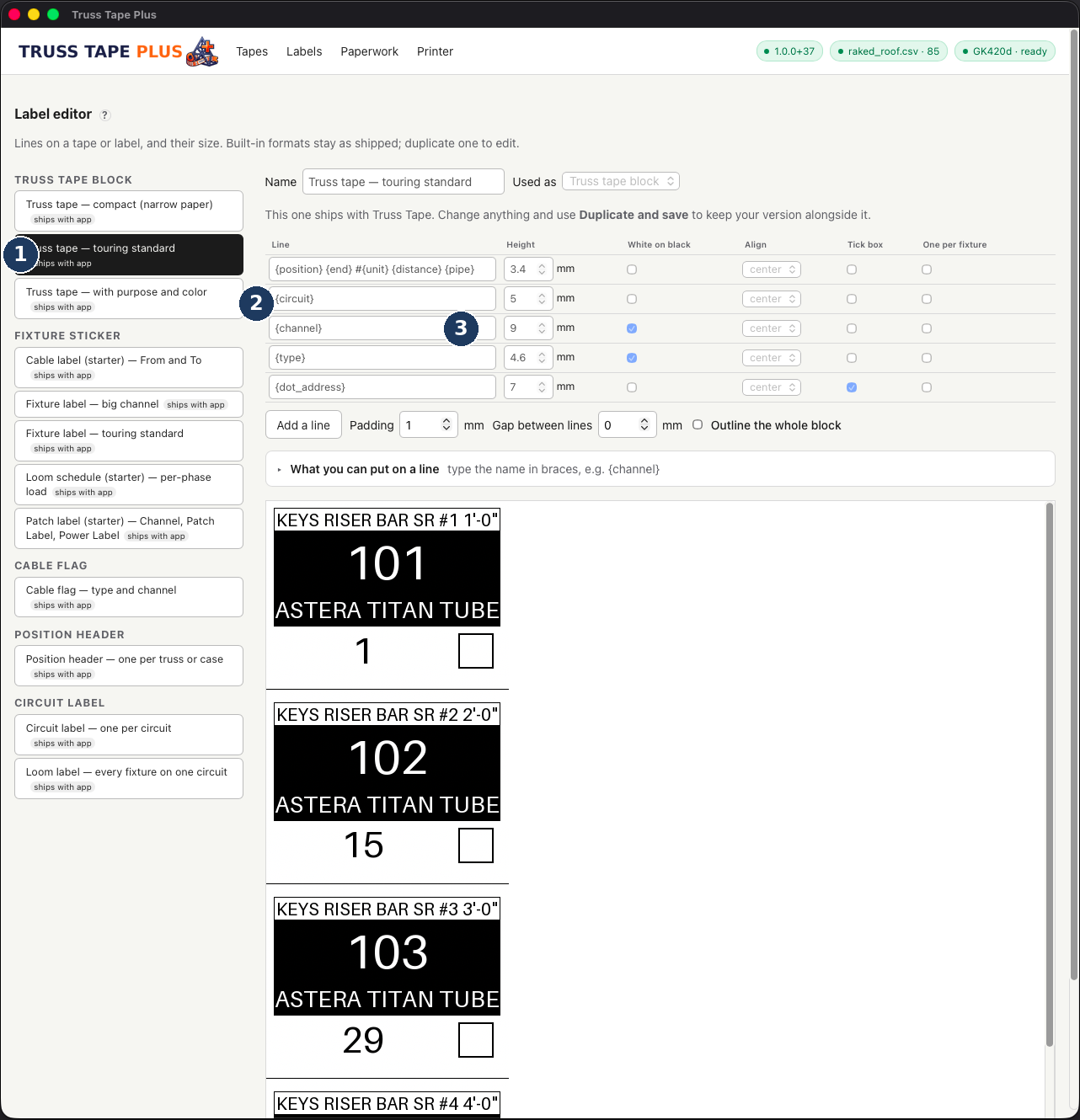
| 1 | Format list — pick a built-in or your copy |
| 2 | Line fields — what goes on each line |
| 3 | Heights / preview — size in mm and the live preview |
TIP
Duplicate before you edit. Built-in formats stay as shipped so you always have the checked layout to go back to.
You can also open the editor from Settings… → Appearance with the Label editor link (Mac: Truss Tape Plus → Settings…; Windows: File → Settings…).
For what the built-in formats mean on the gear, see Label styles — what sticks where.