Appearance
Column Mapping
Open File → Column Mapping.
Match each field Truss Tape Plus needs to a column in your file. The mapping is saved once per paperwork layout, so the next export from the same template opens with no questions.
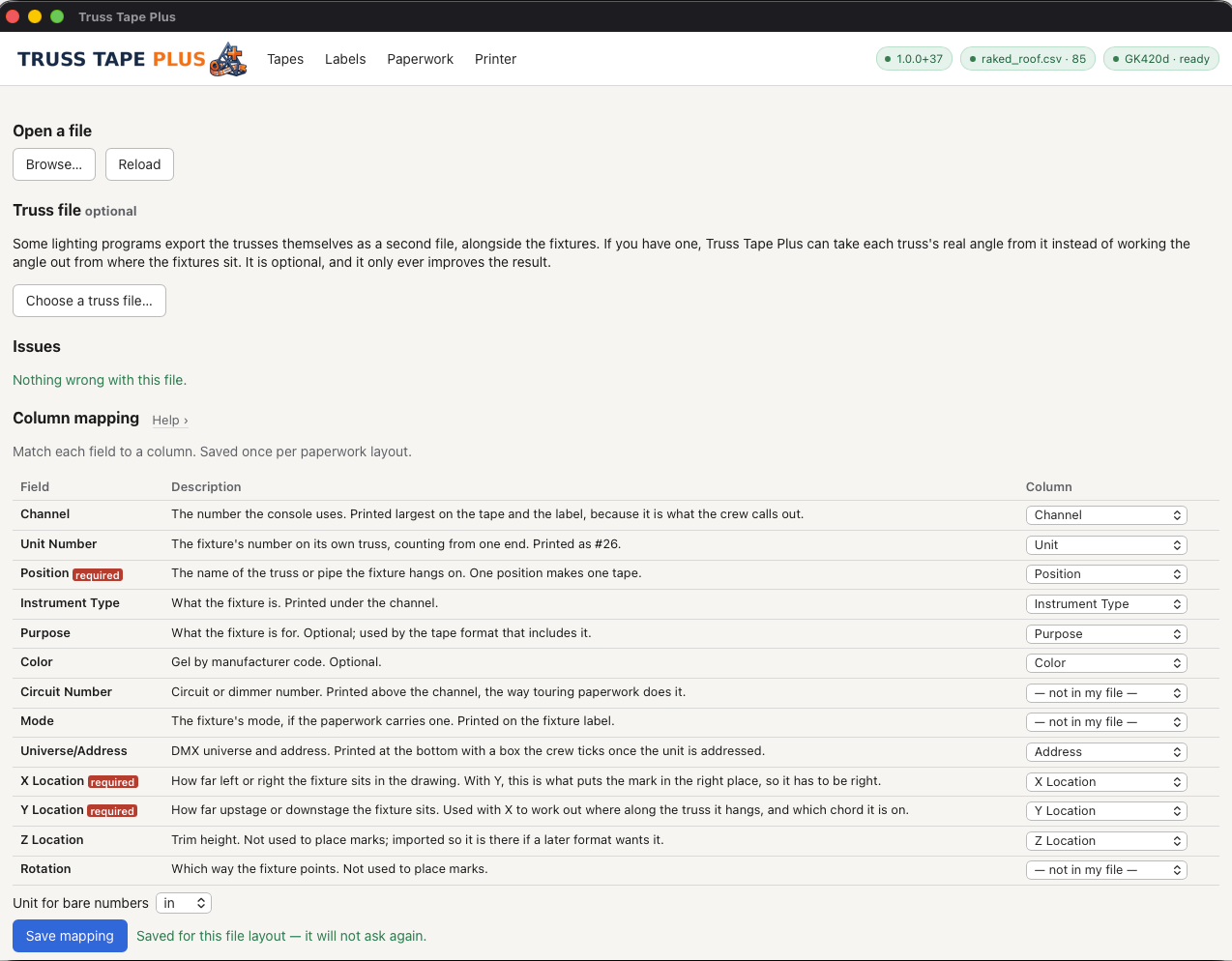
The columns that have to be right:
- Position — the truss or bar. One position becomes one tape.
- X and Y — where the fixture sits in the drawing. These decide length on the tape.
- Channel and Unit number — what the crew calls the fixture. These get printed.
Everything else is optional and makes a fuller label.
Press Reload after you change the file on disk. Browse… opens another file.