Appearance
Which printer
For a hang tape, use an Epson TM-T20IV or TM-T20III with an ethernet port. Those two have been printed with Truss Tape Plus.
Put that printer on the Wi-Fi / local network. The computer reaches it on port 9100.
Open Help → Supported Printers, or open Printer and press Supported printers.
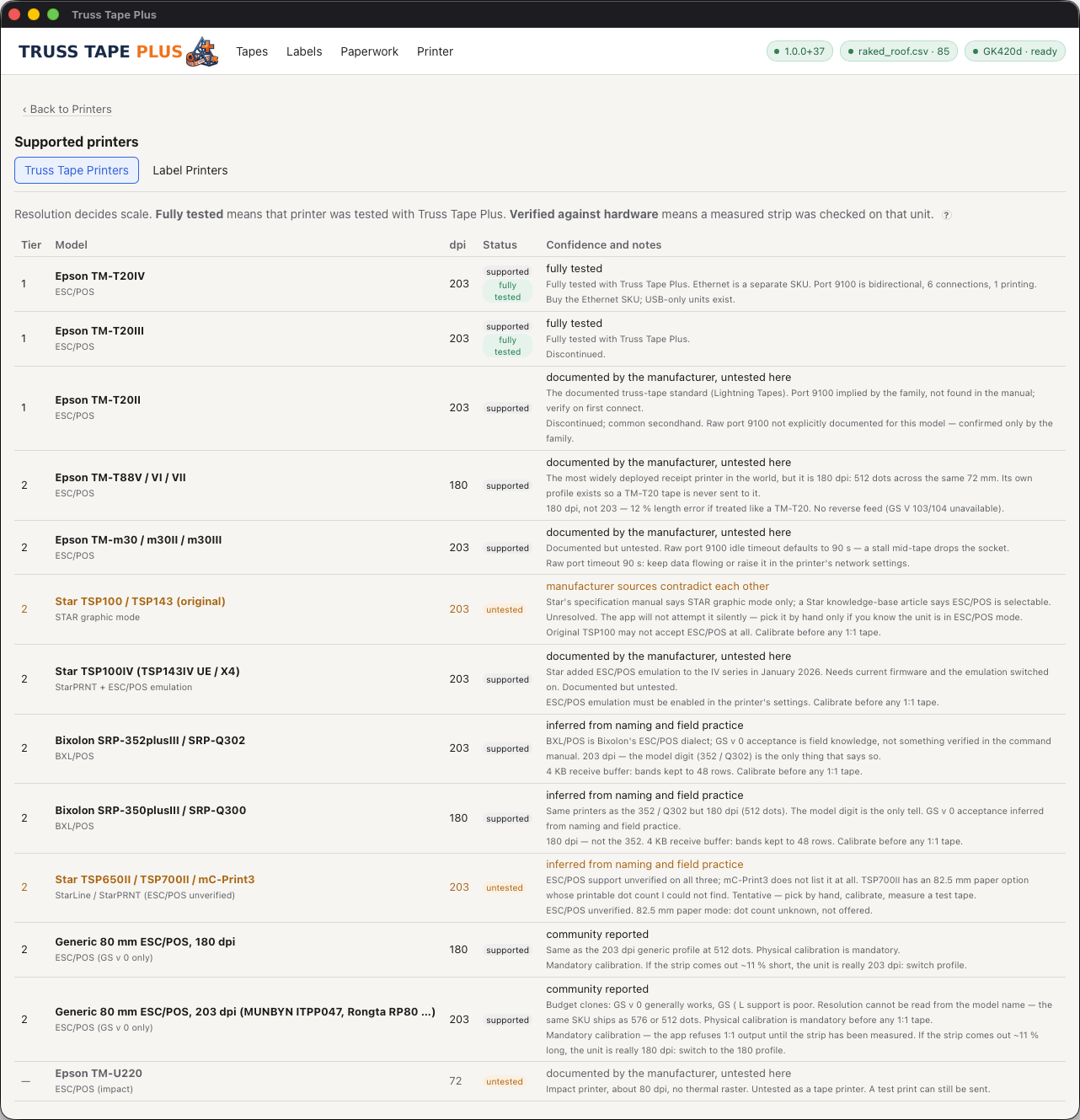
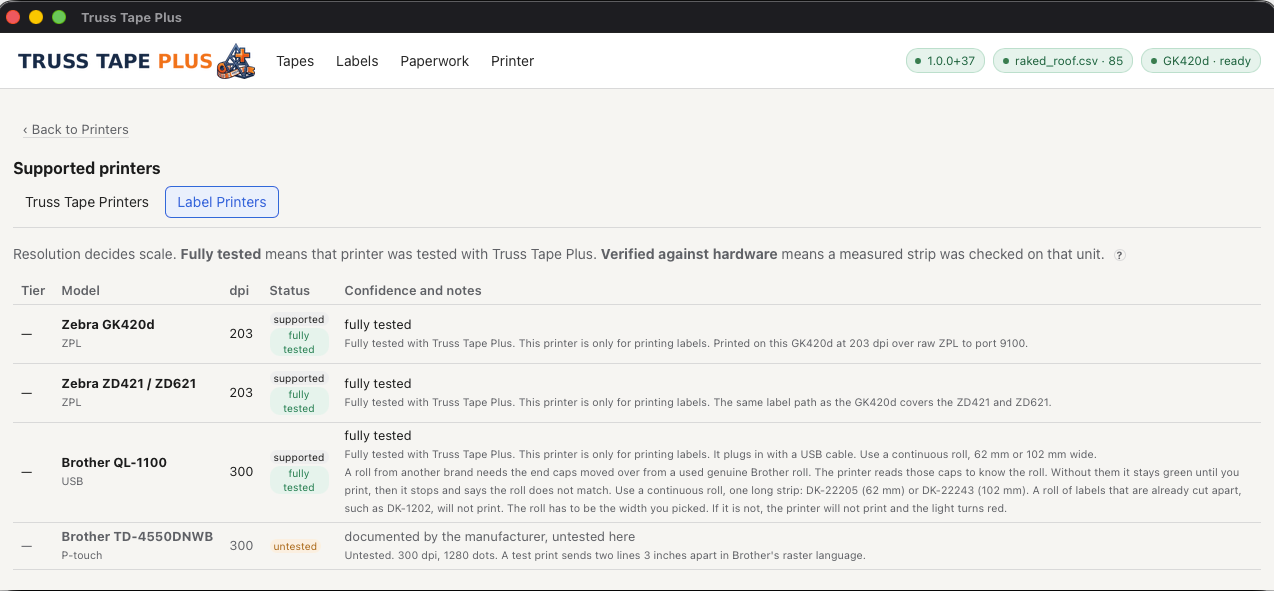
Truss Tape Printers are for the 1:1 tape. Label Printers are for labels.
Hang tape
- Epson-class roll printer
- Truss Tape Printers list
- Calibrate the 3′-0″ strip — Calibrate
- Print this tape / Save as PDF…
- Length truth is the job
Labels
- Zebra or Brother
- Die-cut (gap / notch), continuous, or Avery
- Measure label / Style↔stock — Which stock for what
- This show / From a list
- Optional in first-run setup
See also Label styles — what sticks where.
Connect uses the same scan for both families; the list shows which family each printer is.
Fully tested means that model was printed with Truss Tape Plus. A Zebra GK420d and a Brother QL-1100 are only for printing labels.
Zebra ~4″ thermal fits most yoke, header, circuit, and loom labels. Cable flags and wrap IDs usually want skinny wrap stock instead — see Which stock for what. For a deeper walk through stock families, buying your first printer, and media settings, see Label stock and printers.
You buy the printer and the paper. Truss Tape Plus is the software.
TIP
Wrong list? Hang tape needs a name from Truss Tape Printers. A Zebra or Brother on Label Printers will not stretch a 1:1 truss tape.