Appearance
Start the trial / enter a license key
One 30-day trial per company. No credit card.
In the setup guide
- On the Trial step, press Start trial.
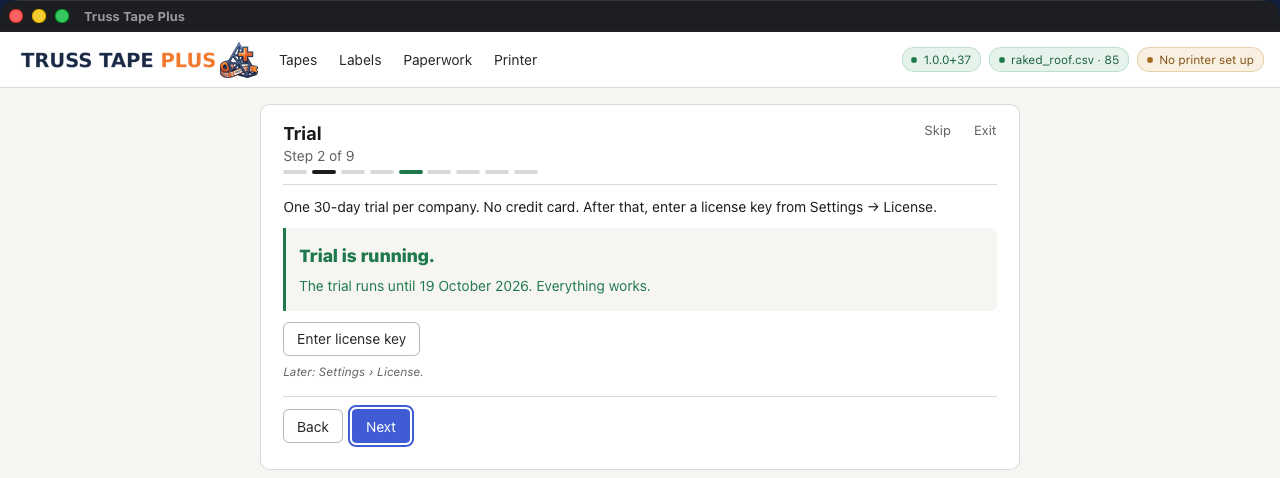
- Or press Enter license key and paste the key from your receipt.
While the trial is running, Enter license key stays on this step so you can unlock anytime.
After setup
- Open Settings… — on Mac, Truss Tape Plus → Settings… (⌘,); on Windows, File → Settings….
- Open the License pane.
- Press Start trial, or Enter license key.
When a trial is already active, Enter license key is still there — use it to switch from trial to a purchased key.
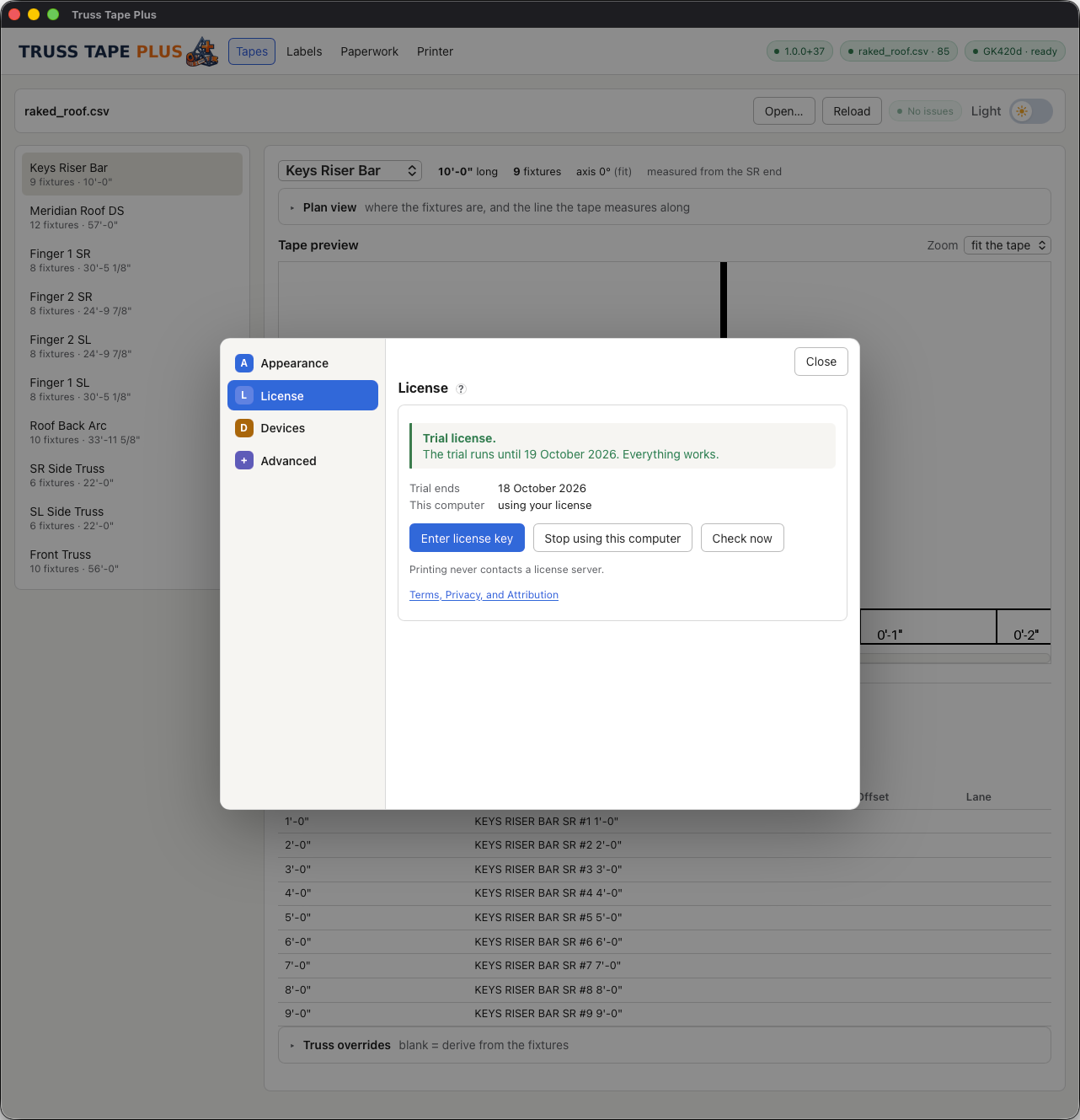
On iPhone and iPad you subscribe in the app. On Mac or Windows you enter a license key from Settings… → License.
TIP
You can leave setup and come back. The hang list works before a printer is connected. Printing does not.